


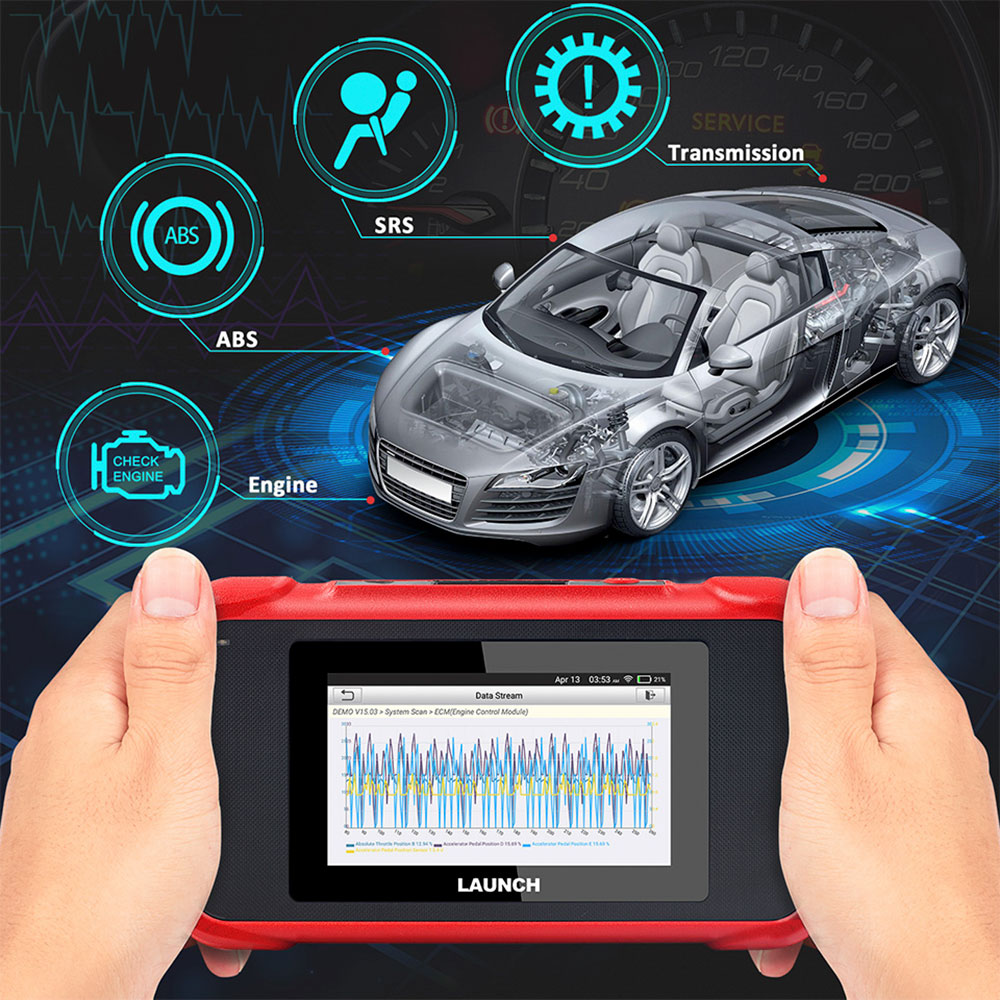
Launch CRP123E OBD2 scanner supports engine, ABS, SRS, and transmission diagnostics.
Full OBD2 functions, AutoVIN, Oil/SAS/Throttle reset, and lifetime free updates for most vehicles.
Why Choose LAUNCH CRP123E?
- Auto VIN Detection: Connect the tool to your car, and it automatically reads your vehicle’s VIN information—no manual input, no errors, save time every time.
- Auto-Generated Diagnostic Reports: Instantly create professional reports, share them via email, or submit for expert troubleshooting—perfect for DIYers or sharing with mechanics.
- 5-Inch Android Touch Screen: Intuitive, smartphone-like operation—tap, swipe, and diagnose in seconds, no complicated buttons or manuals.
-
Lifetime Free WiFi Updates: One-click updates via WiFi keep the tool current with new car models, fault codes, and features—no extra fees, ever.
- Upgraded Vehicle Coverage: Built as an upgrade to CRP123 and Creader VII+, it supports more car models than its predecessors, compatible with most passenger cars worldwide.
-
Multi-Protocol Compatibility: Works with OBDII, EOBD, JOBD, and KOBD protocols, ensuring it connects to almost any passenger car on the road.
-
9 Multi-Language Support: English, Spanish, French, German, Italian, Russian, Japanese, Korean, Portuguese—use it in your native language, no language barriers.
- Complete Accessories: The package includes the main unit, OBD diagnostic cable, 5V DC charging cable, user manual, and carrying bag. It’s ready to use right out of the box—no need to buy additional accessories.
LAUNCH CRP123E Reliable Hardware
Screen: 5'inch Touch Screen
RAM: 1G
ROM: 8GB
Battery: 4000mAh rechargeable Li-battery
OBD II input voltage range: 9~18V
Charging via:DC 5V charging cable or Diagnostic cable through connection to the vehicle's DLC
Working temperature: 14 to 122 °F(-10 to 50 °C )
Storage temperature: -4 to 158 °F(-20 to 70 °C )
RAM: 1G
ROM: 8GB
Battery: 4000mAh rechargeable Li-battery
OBD II input voltage range: 9~18V
Charging via:DC 5V charging cable or Diagnostic cable through connection to the vehicle's DLC
Working temperature: 14 to 122 °F(-10 to 50 °C )
Storage temperature: -4 to 158 °F(-20 to 70 °C )
Dimension: 228mm x 125mm x 34.5mm
LAUNCH CRP123E Professional Diagnostic Power, Made Simple
Inherited from LAUNCH’s industry-leading diagnostic technology, the CRP123E delivers precise, reliable results for 4 core car systems—Engine, ABS (anti-lock brakes), SRS (airbags), and Transmission. Whether your dashboard warning light is on, or you want to check your car’s health, this tool has you covered with full OBD2 functions:
-
Read & delete fault codes to turn off warning lights
-
View live data (engine speed, fuel consumption, battery status) with real-time graphing
-
Perform O2 Sensor, EVAP System, and on-board monitor tests
-
Access freeze frame data to pinpoint fault causes
-
Check I/M readiness and lookup DTC codes with a built-in TC Library
LAUNCH CRP123E Smart Diagnosis & Convenient Features
The CRP123E takes the guesswork out of car diagnostics with two easy modes:
-
Auto-Detect Diagnosis: Connect the tool to your car, and it automatically starts diagnosing—no manual setup. A diagnostic report is generated and sent to your bound email in seconds.
-
Manual Diagnosis: If auto-detect fails, easily switch to manual mode to check version info, read/clear DTCs, or view live data in 3 modes (Value, Graph, Merged).
Diagnostic History lets you quickly access past tests (resume where you left off or view old reports), while Diagnostic Feedback lets you submit tricky issues to LAUNCH’s experts for help—perfect for beginners.
Complete Package
1pc x Creader Professional 123E handset
1pc xOBD II diagnostic cable
1pc xDC 5V charging cable
1pc x. User manual
1pc x Carrying bag
FAQs
-
No response after connecting to the car? First, check if the diagnostic cable is fully plugged in, then confirm the car’s power is on, the throttle is released, and the transmission is in neutral.
- No response from the car’s on-board computer? Confirm the car’s power is on, throttle is closed, transmission is in neutral, and water temperature is normal.
- Screen flashes at engine ignition? Normal! Caused by electromagnetic interference, not a tool fault.
- Auto VIN detection fails? Ensure the tool is properly connected to the car’s DLC port and "Automatic detection on Connect" is ON.
-
System halts when reading the data stream? Check if the connector is loose—turn off the tool, re-plug firmly, and restart.
-
How to upgrade? Connect to WiFi, tap "Settings" → "About" → "Version" → "Detect the System Version", and follow on-screen instructions. The tool will restart automatically after upgrading.
